
Frequently Asked Questions:
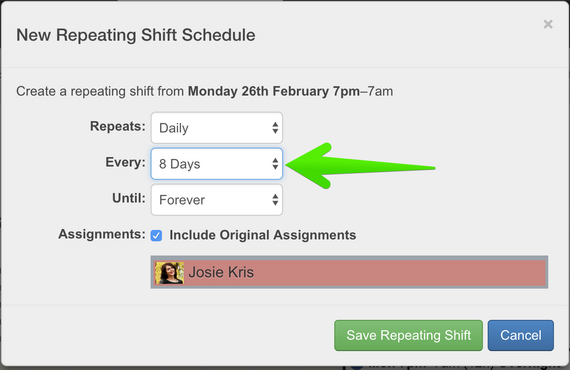
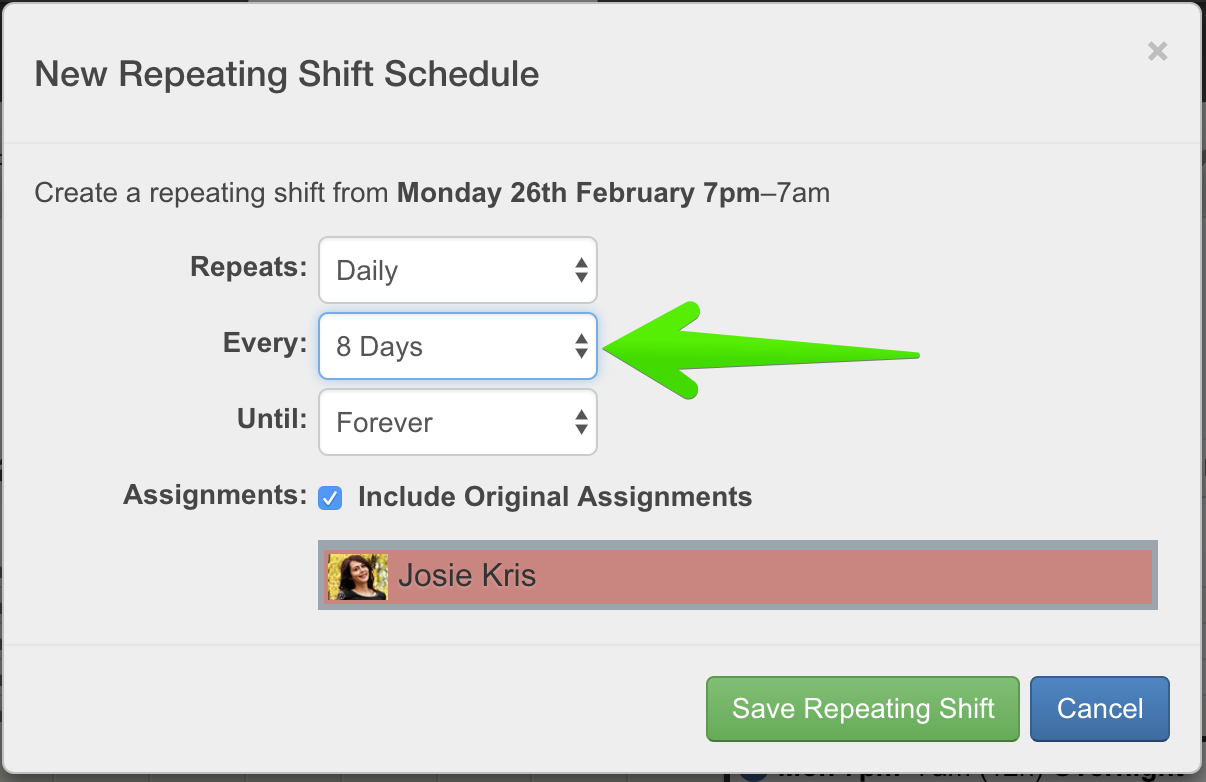
Repeating a shift every 8 days
How do I create a 4-on/4-off shift pattern?
With a 4-on-4-off shift pattern, the whole shift pattern (and therefore each shift within it) will repeat every 8 days.
So, on your Rotaville rota, create your first 8 days of shifts, that is up until the point the shift pattern is about to start repeating.
Then set each of these shifts to repeat every 8 days.
Now your four-on-four-off rota is complete!
See Also
Related Documents
Related Videos
Navigate
Documentation
Frequently Asked Questions:
- How do I create a 4-on/4-off shift pattern?
- How to change the Workforce Owner?
- How to upload the Workforce Logo
- How to Limit How Far Ahead Employees See Their Shifts
- How Employees Can See Each Other's Shifts
- How can I quickly view unfilled shifts?
- Software Feature Requests
- How to plan a rota in private?
- How to share the whole rota with all employees?
- Delete your Rotaville User Account
- How to Change the Display Order of Multiple Rotas
Employee:
Manager:
- Workforces
- Create a new Workforce
- Workforce Settings
- Create a New Rota
- Add New Employee Record
- Manage Employee Records
- Adding a New Shift
- Shift Breaks
- Assigning Employees to Shifts
- Double Assignments - Block, Warn, Allow
- Availability for Managers
- Shift Interest and Shift Agreement Display
- How to use Repeating Shifts
- Shift Cloning
- Calendar Navigation and Controls
- Data Retention, Backups, Archives, and Google Drive
Miscellaneous: